Vivid Render
SketchUp-to-browser AI rendering workflow for architects and interior designers
Turns your actual SketchUp view into a client-ready 2K interior render in about a minute, keeping your camera, layout, and lighting rather than generating a generic room.
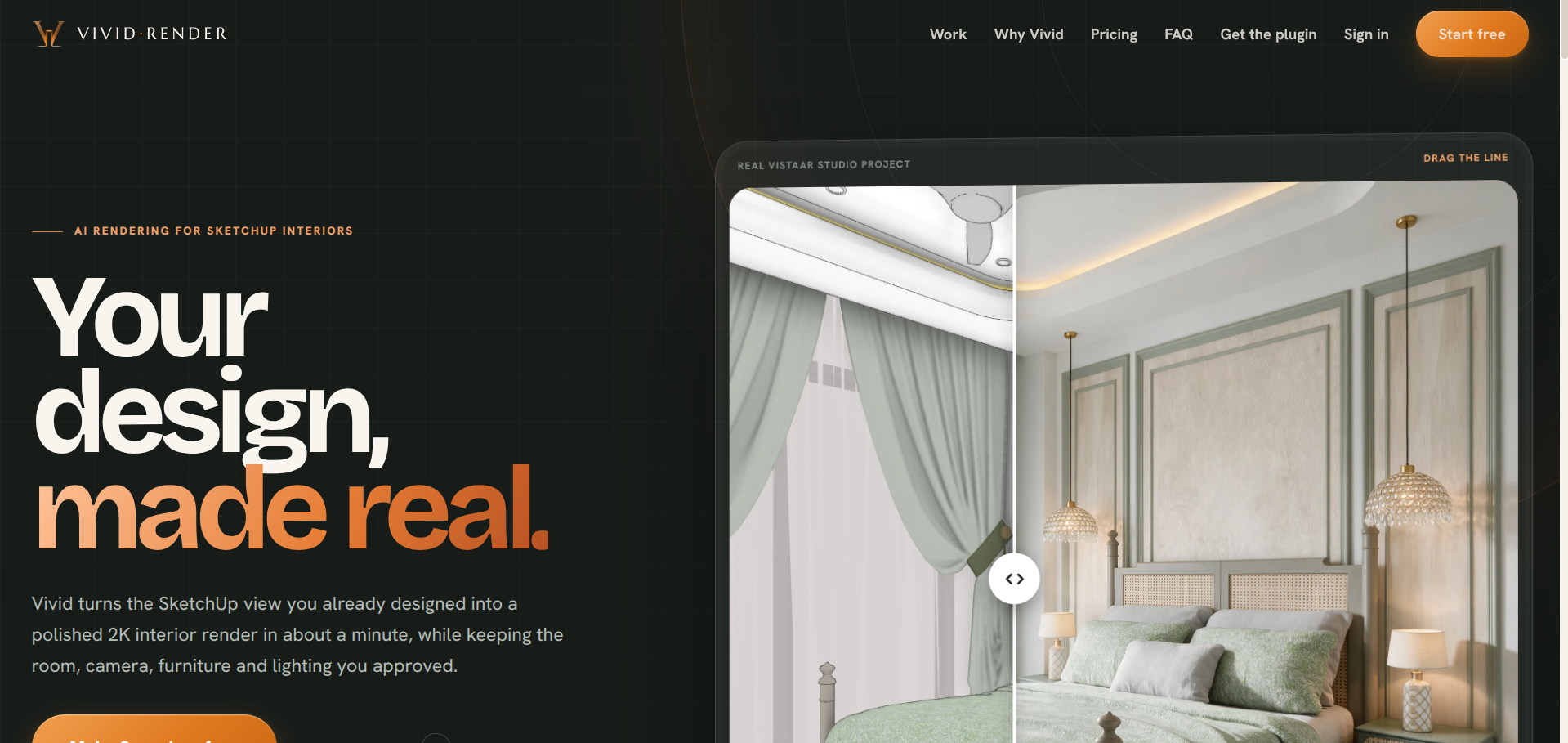
Vivid Render turns a SketchUp interior view into a polished 2K render in about a minute, without changing the room you designed. A free desktop plugin sits inside SketchUp, marks light sources with reversible glow objects, and sends one view or a full set of saved scenes to a browser workspace where the source and rendered image sit side by side for comparison.
Revisions work by describing or marking the change directly on the image rather than restarting the render from scratch, and finished renders download as client-ready ZIPs. Pricing is credit-based with no subscription or seat fee, roughly $0.20 to $0.40 per 2K render depending on the pack, and new accounts get three full-quality renders free with no card required.
The current scope is deliberately narrow: interior stills, marked lighting, revisions, and 2K delivery are live today, while exterior rendering and walkthrough films are listed as upcoming rather than promised as already working. Built by VR3D Design for architects and interior designers working from SketchUp.
What we like
- Keeps the exact room, camera angle, and lighting you designed
- Credit-based pricing, no subscription or seat fee
- Clear about scope, interior stills live today, exterior and walkthroughs on the roadmap
What to watch
- Interior stills only for now, no exterior rendering yet
- Requires the SketchUp desktop plugin to export scenes
Try Vivid Render
Free.
Visit Vivid Render →