Jolene.pro
Analyse Excel and CSV files and trace every answer back to its source cells
Spreadsheet analysis that shows its working. Every answer links back to the source cells, rows and sheets, which matters when someone asks where the number came from two weeks later.
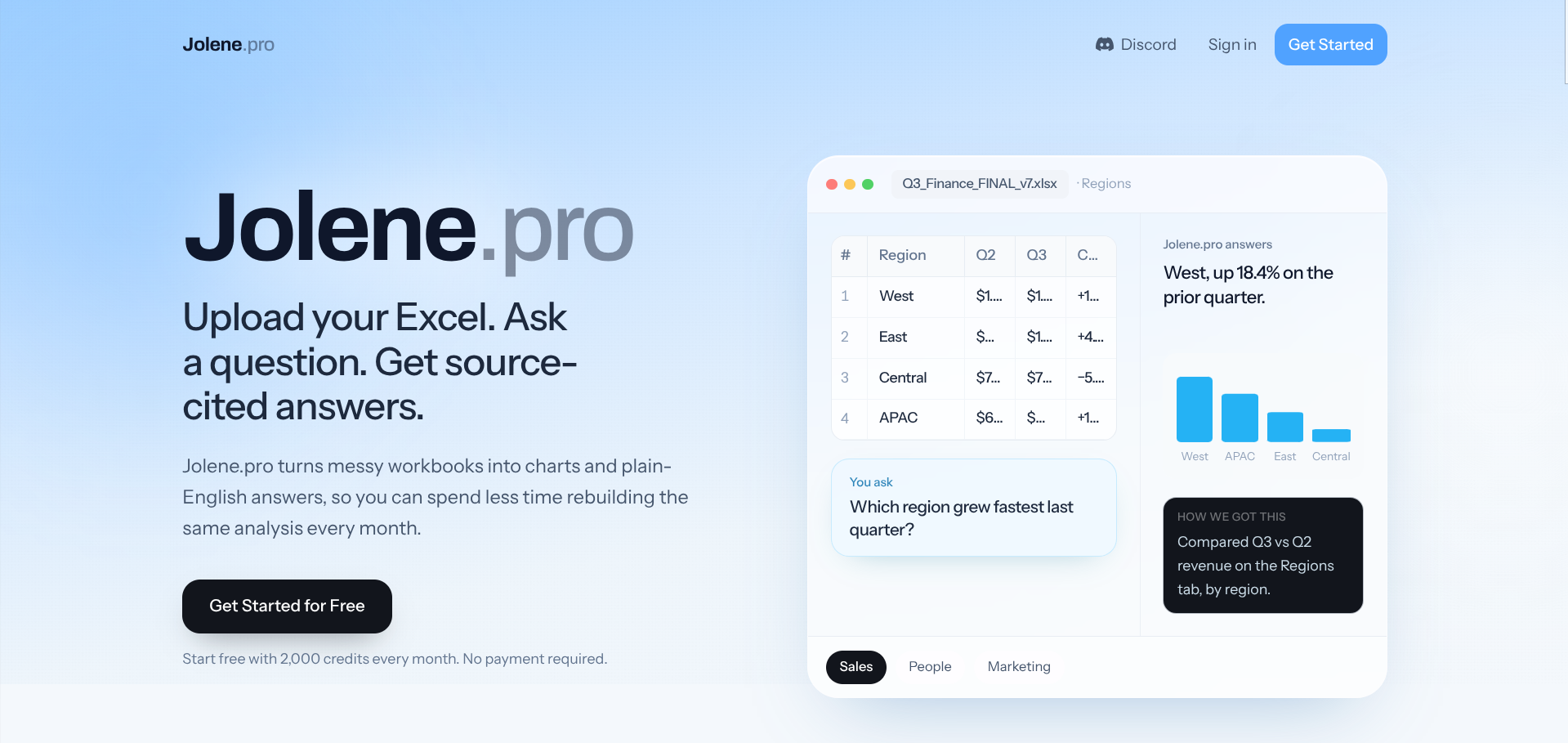
Jolene.pro analyses Excel and CSV files by answering plain-English questions about them, and the part worth paying attention to is what comes back with the answer. Each result cites the specific cells, rows and worksheets it used, plus how the calculation was made. Getting a number out of a spreadsheet has never been the hard bit. Defending it in a meeting three weeks later is.
It reads across whole workbooks rather than expecting one tidy table, so multiple sheets, inconsistent tabs and tables scattered around the file are handled as they are. You can scope an analysis to particular sheets, and it produces bar, line, area, pie and heatmap charts along with stat and KPI views that can be pulled into dashboard widgets and shared as a read-only snapshot.
Saved analyses are the other useful idea here. Rather than rebuilding the same work when next month’s export lands, you rerun the saved version against the new file, and it flags structural changes that might affect the result. That’s aimed squarely at anyone running the same reporting cycle on a file that keeps arriving in a slightly different shape.
It’s clear about what it isn’t. There are no live database connections, no real-time streams, no editing or macros, and no model building. It analyses files that already exist rather than replacing Excel or a BI stack. New accounts start with 2,000 credits, and paid plans are per user per month.
What we like
- Every result cites the source cells, rows and sheets behind it
- Reads across multiple sheets and scattered tables without restructuring first
- Saved analyses rerun on the next file and flag structural changes
- New accounts get 2,000 credits, and failed runs don't deduct from the balance
What to watch
- Analyses uploaded files rather than connecting to live databases or data streams
- No spreadsheet editing, macro creation, or financial model building
- Launched recently, so there's little independent track record yet
Try Jolene.pro
Free · Free tier available.
Visit Jolene.pro →